

Quiz feature: Structure
The features of the Quiz can be separated into the core elements and the additional elements that alter the flow of the quiz.
The Core
The core consists of a multiple-choice quiz found in courses, where the questions it entails are found in a separate question bank.
The Question Bank
The question bank is a separate managing feature for the questions that can be added to the quiz. Questions can be added to multiple quizzes. From the question bank, it is possible to sort, tag and check the statistics of the questions. Also, new questions can be added there. Every question consists of a question and one or multiple correct answers and other not correct options. The creator can add explanations for the answers, which would be shown after the user finished the quiz.

The Quiz
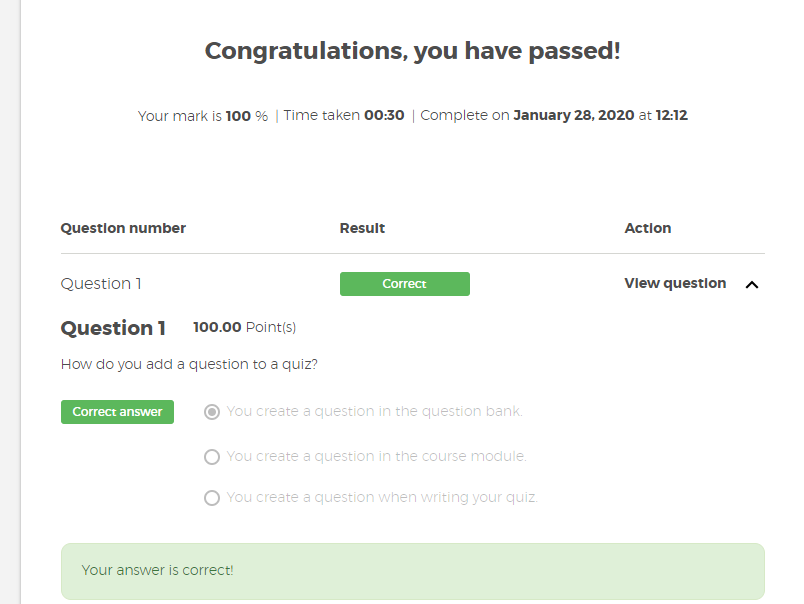
When a quiz is added to the course as a material the creator can select questions from the question bank. The questions will then be shown one by one with the answers in the quiz. The users can run through it and answer the questions. After they finished, they will see a summary with the results of the quiz, what questions where right and wrong, as well as if set, additional information regarding each question.
The Alterations
It is possible to transform the quiz from a simple multiple-choice quiz to a real test with grading, time limit, and attempt management. All of those features are optional and can be added independently.
Attempts
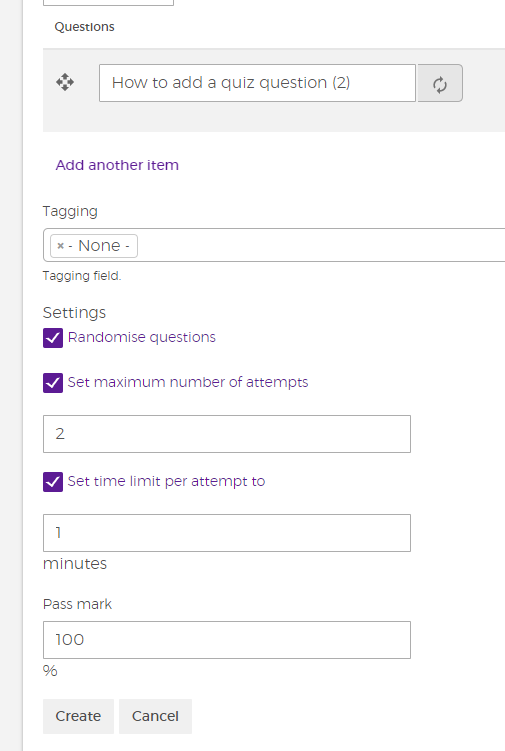
It is possible to add a maximum amount of attempts a user can repeat a quiz. It is possible to increase or decrease this maximum at any time.
Timer
The timer sets a limit on how long a user has to complete one try of the quiz. The time will start to run down when the user starts the quiz, which will be visible to the user with a real-time timer. If the timer has run out, the quiz will be finished automatically.
Note: The timer continues even if the user leaves the quiz page.
Grading
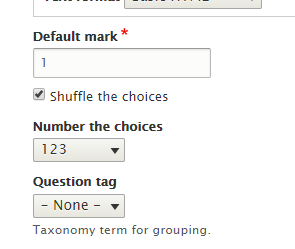
It is possible to set a minimum grade that the user needs to achieve to pass the quiz. This feature works together with the question bank, where you determine how much each question and answer is worth. The user will know if he passed depending on the given percentage.
Note: To learn more about how to create grading go to the manual section.