

Spam Protection Words
This chapter explains the Spam Protection Words feature and specifically how to enable spam prevention, add blocked keywords, and keep user data clean and safe from unwanted content.
Note: The Spam Protection Words feature is not part of the default CMS but can be enabled when requested via the support desk.
What is Spam Protection Words?
The Spam Protection Words feature allows a Site Manager (SM) to:
Block specific words or phrases in content.
Prevent users from submitting content that contains spam keywords.
Maintain the integrity of Open Social user profiles and improve the user experience within your community.
With the use of this feature, SM can automatically stop spam-like content before it enters the platform.
How to enable Spam Protection Words
To activate the feature, a Site Manager should:
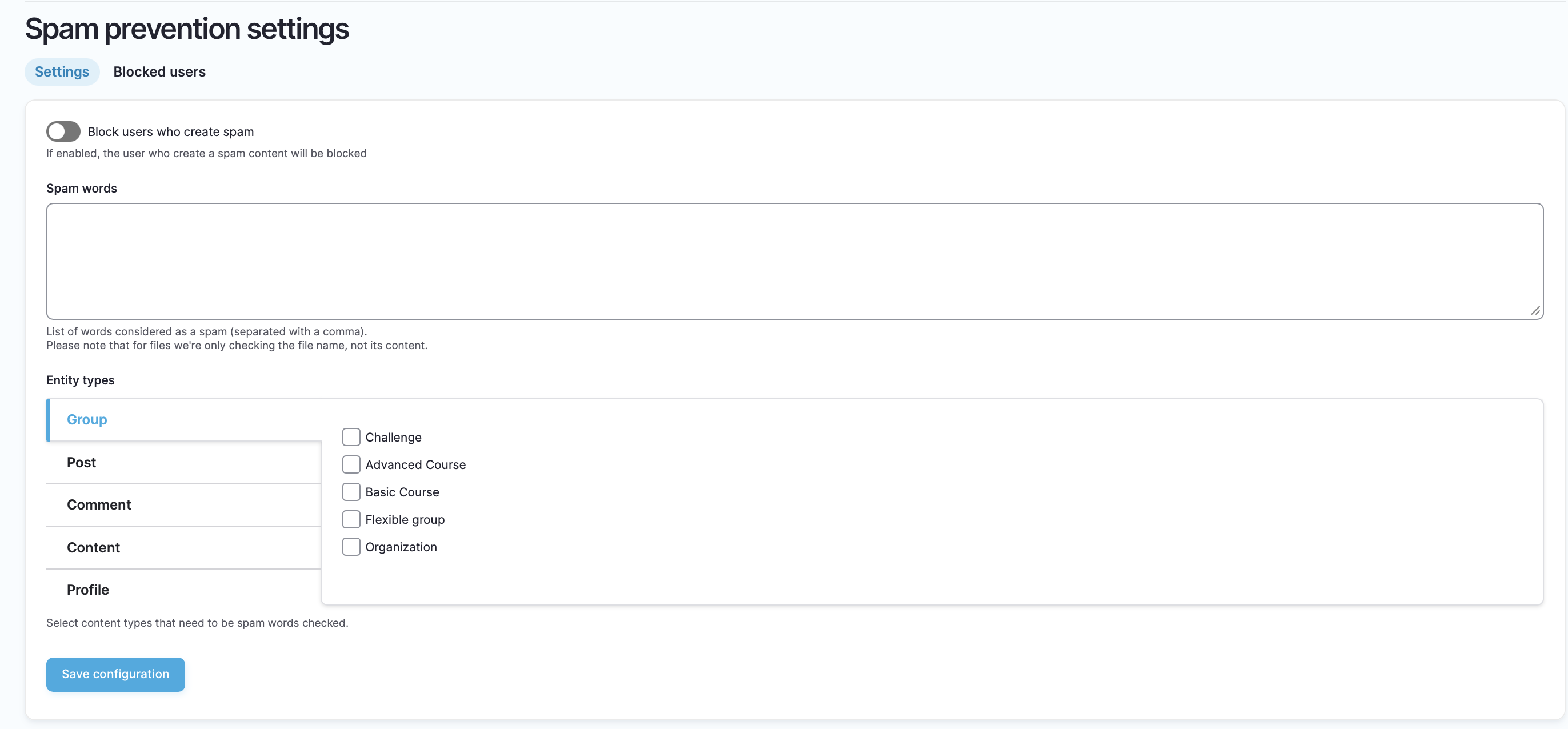
Navigate to Configuration → People→ Spam Prevention (direct URL:
/admin/config/opensocial/spam-prevention).Enable the Spam Protection option.
Add spam keywords to the filter list. Seperate them using a comma.
Enable spam word filtering for different entity types such as groups, content, comments, profile and posts.
Choose whether user should be blocked immediately if they try to use any of the spam words listed.
Once enabled, any user attempting to enter these blocked keywords into a profile text field will receive an error, and the content will not be saved.
Why use Spam Protection Words?
Using this feature provides a simple and effective way to:
Reduce unwanted spam content in user profiles.
Protect your community from irrelevant or malicious content.
Improve trust in your platform by maintaining higher-quality user data.
Example: Adding spam words
A Site Manager could add keywords such as "Buy now," "Free money," or "Click here" to the blocked list From that point on, users would be unable to post these words into any entity type chosen in the settings. Please note, we do not provide the spam words list. This needs to be added and is the responsibility of the site manager of the platform.