

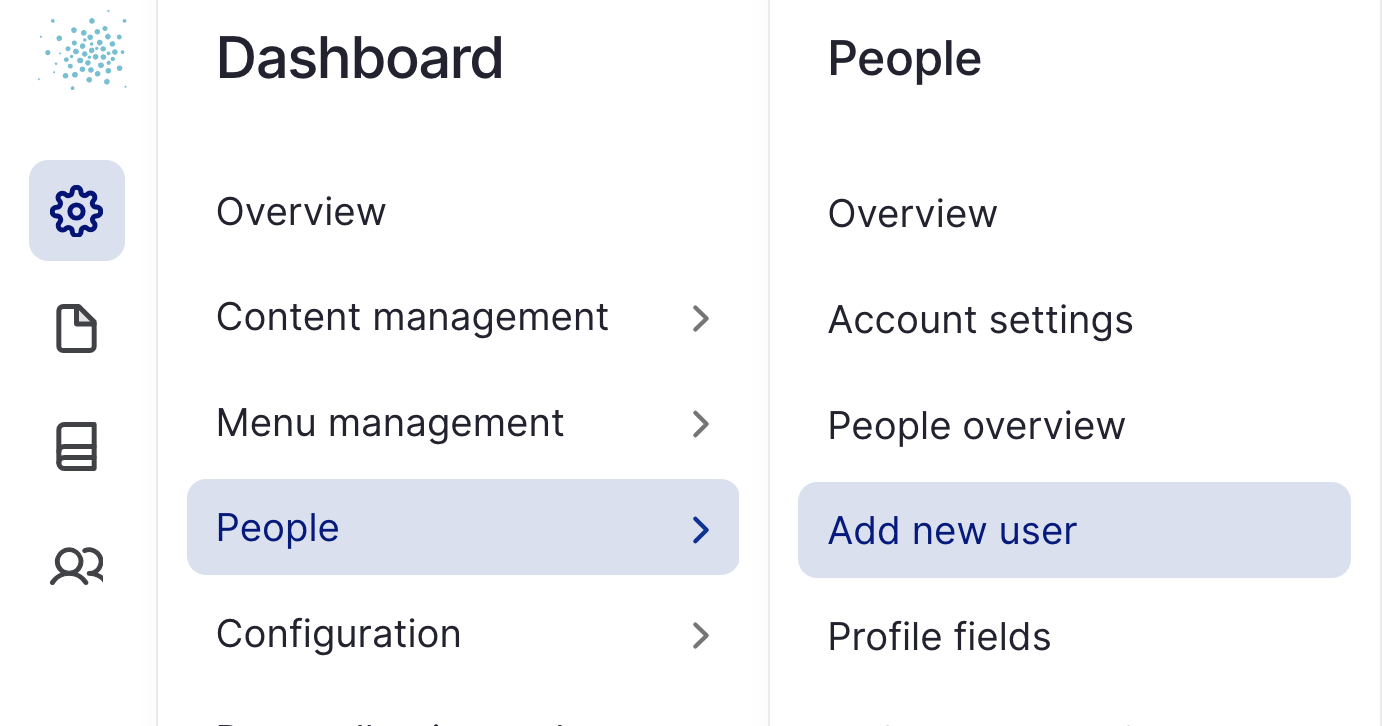
New users can be added to the platform by Site Managers via the Dashboard menu, or via the People Overview (URL alias: /admin/people)
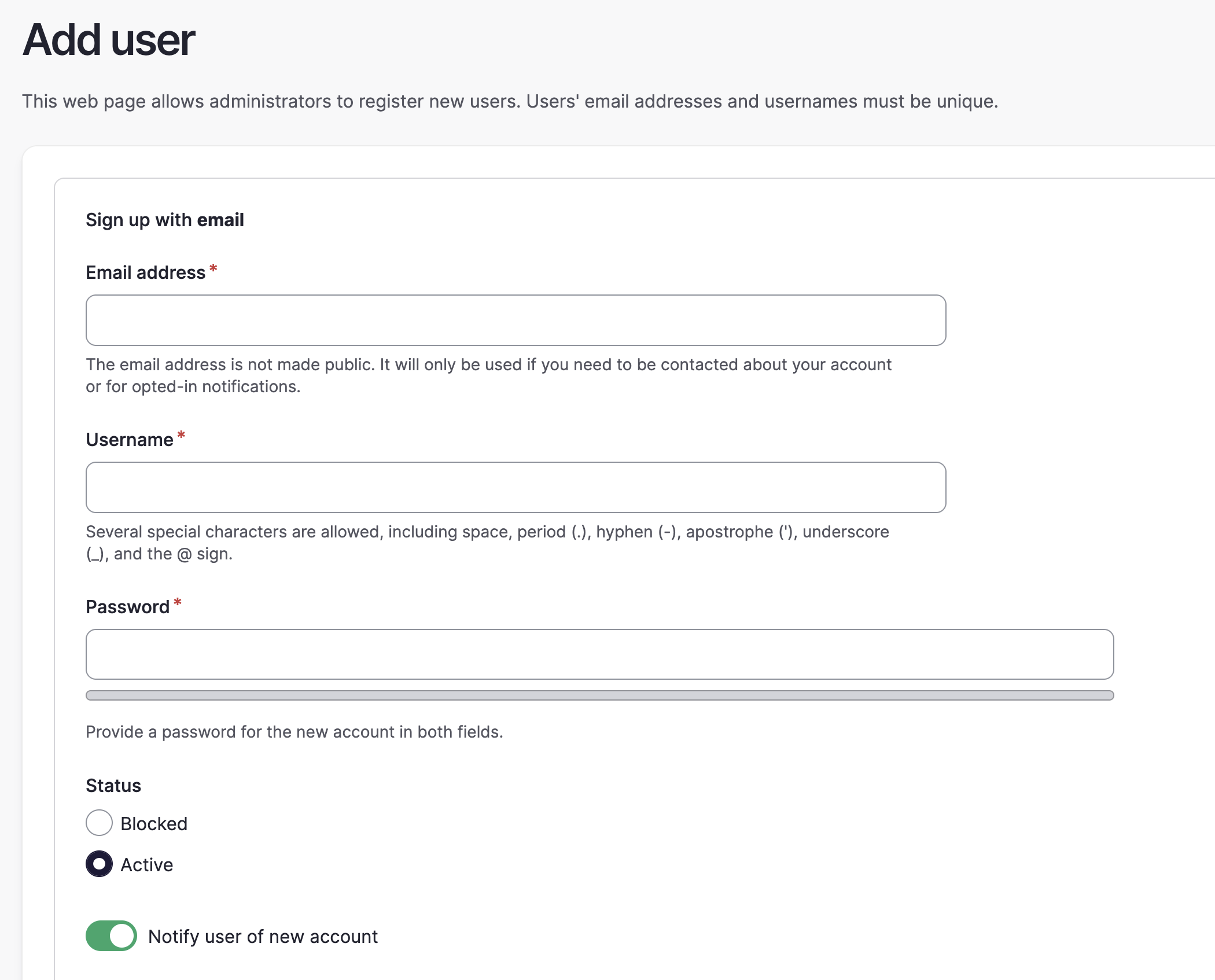
Add a user by filling in the relevant information. Users can update this themselves later, so you can always give them a placeholder username/password for their first login.
Notify User of New Account:
This is a critical button, since it determines how a user will login for the first time.
- Leave this toggled ON and the user will receive a welcome email, including a one-time login link to activate their account (adjust this email in your Account Settings). In this context, the password field is still required to ensure security, but it effectively doesn't matter for the end-user, since they'll choose their own during activation.
- Toggle this setting OFF to not send the automatic email, meaning instead that the user is created and can access the platform by filling in the email/password - this is most relevant when creating test accounts for yourself or others.
Best practice in terms of security AND adoption? Leave the toggle ON ✅
Select User Roles
Before you finalise the new user, you must also choose which role they should have. In effect, all new users should be Verified Users (at least), meaning they are full members of the platform.
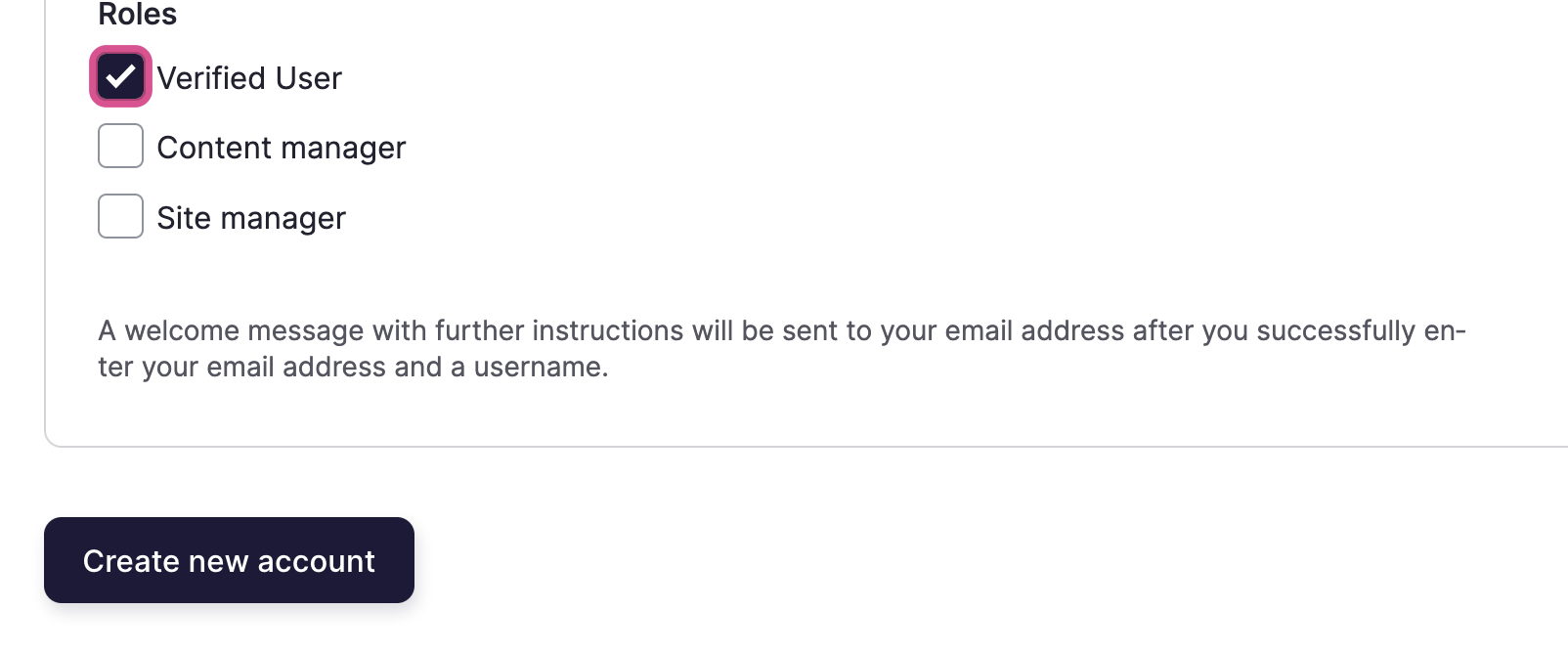
You can also choose to add additional roles if relevant, however don't forget to add the Verified User role.