

Engagement Studio manual›Segments›Contact management
In Engagement Studio, members are meant to be managed at segment level. Sometimes, though, you may need to manage contacts directly, for example to:
- add or remove members from a segment, or from Engagement Studio altogether;
- add or edit tags, for more precise segments;
- look up the segments and messages of one member, for instance to find out which messages someone received and why.
⚠️ Keep in mind: changes you make by hand only apply in Engagement Studio, not in the CMS. They can add maintenance work for you and your colleagues.
Searching and bulk actions
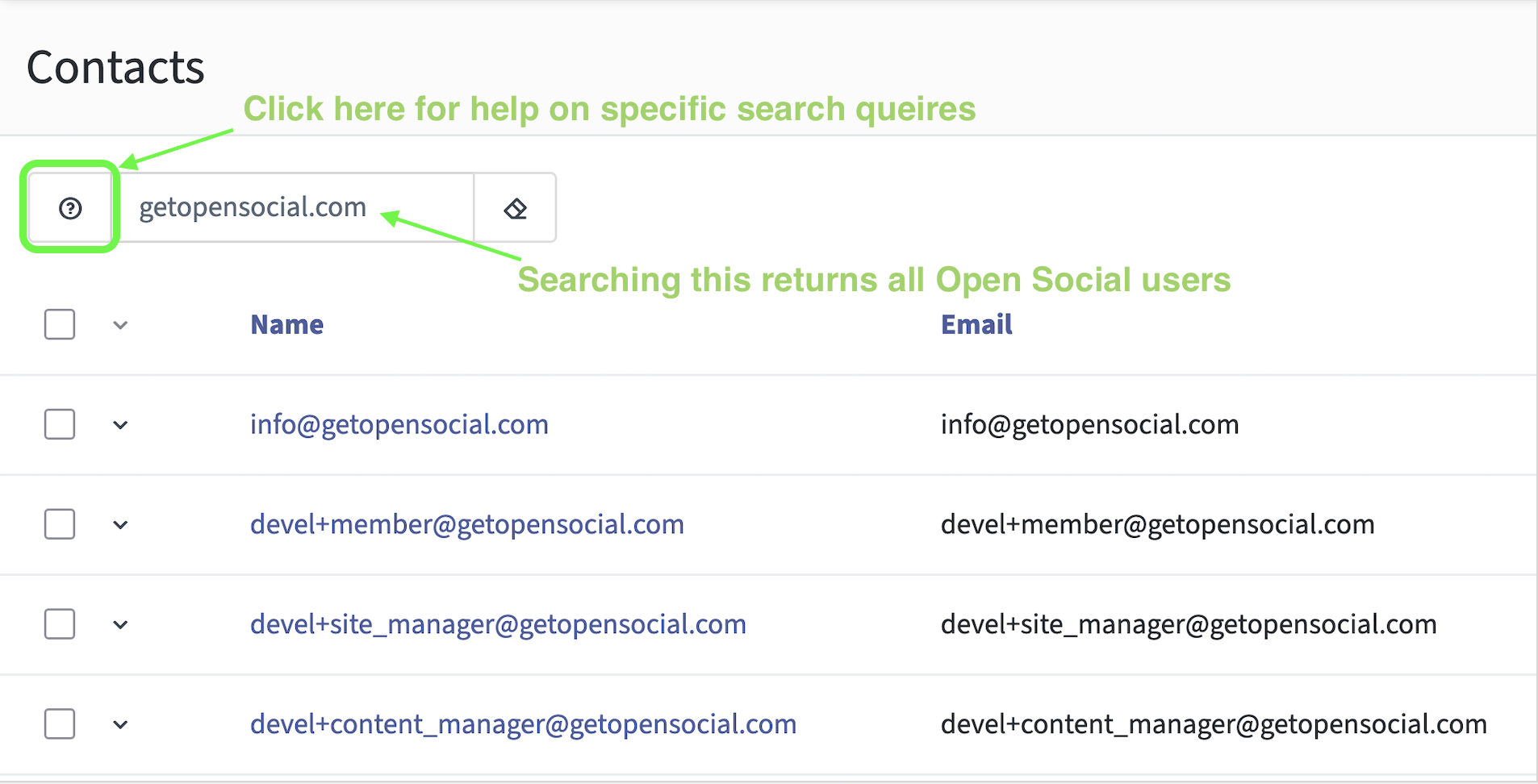
You can search for members in the contact overview, for example on keywords in their email address. Filtering is possible too, but needs specific queries that aren't always intuitive. For now, keep searches and tags simple, such as searching for "getopensocial.com" in email addresses.
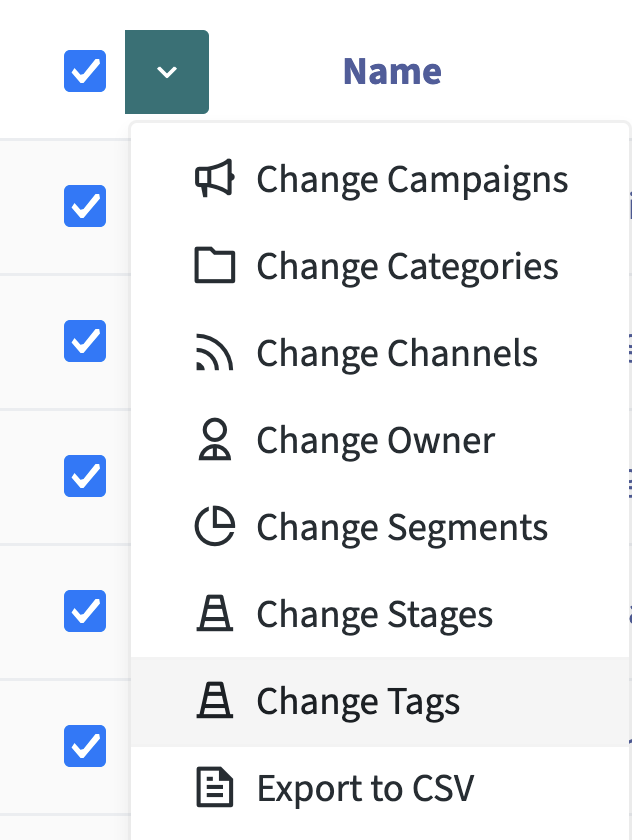
Once you have a list, for example from a search, you can apply bulk actions: add or remove tags, export to CSV, or add members to segments by hand. To update many contacts at once, importing contacts is often easier.
← Previous: Reaching inactive usersNext: Segment recipes →