

Engagement Studio manual›Campaigns
Campaigns are automated workflows. They bring together your messages (from Channels) and your audiences (from Segments) to send the right message at the right time.
A well-designed campaign runs in the background, engages members consistently and saves you time. The goal is a campaign that runs on its own. If you keep changing the setup, the logic or the emails, the campaign isn't doing its job. That's why this manual focuses on simple, repeatable structures that you can reuse and adjust lightly over time.
To create a campaign, go to Campaigns > + New, give it a name and description, and open the Campaign Builder.
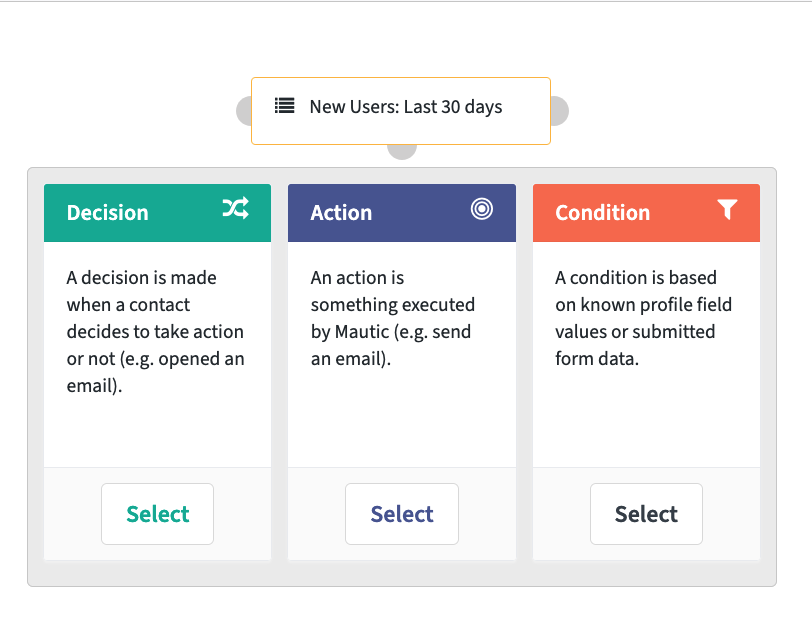
Start by selecting one or more contact segments: the members who will receive the campaign. Then use the grey node below your starting point to add steps. There are three types of step:
| Step | What it does | Typical use |
|---|---|---|
| Action | Something Engagement Studio does, such as sending an email. | Most campaigns start here. |
| Decision | Waits for the member to do something, such as visiting a page, before continuing. | Focus item campaigns. |
| Condition | Checks profile values or campaign history before continuing. | Advanced workflows only. |
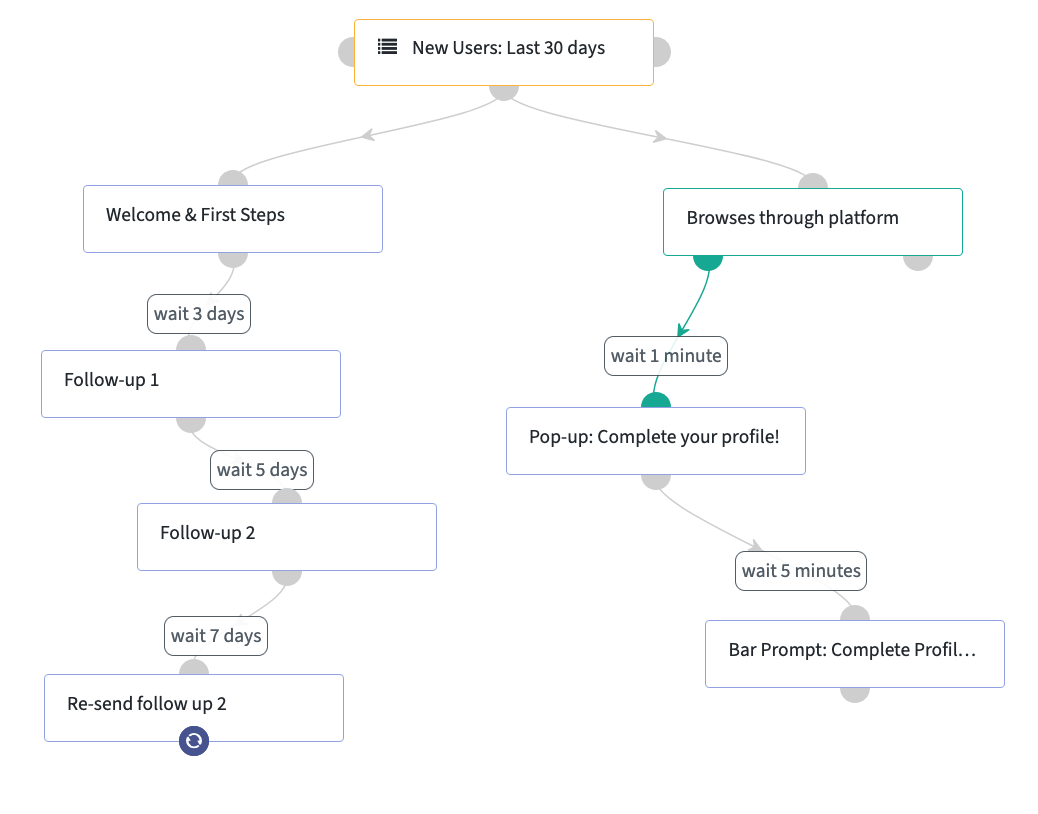
…which can grow into:
In this section
- Emails in campaigns: add emails, timing, follow-ups, loops and decisions.
- Finalising and managing campaigns: activate, monitor and reuse your campaigns.
- Reports and insights: what your emails and campaigns tell you, and how to use it.
← Previous: Creating an emailNext: Emails in campaigns →