


There are 3 broad registration options that can be set-up in your CMS. You can reach this setting via the dashboard under People: Account Settings. Direct URL: /admin/config/people/accounts

1. Open Sign-up
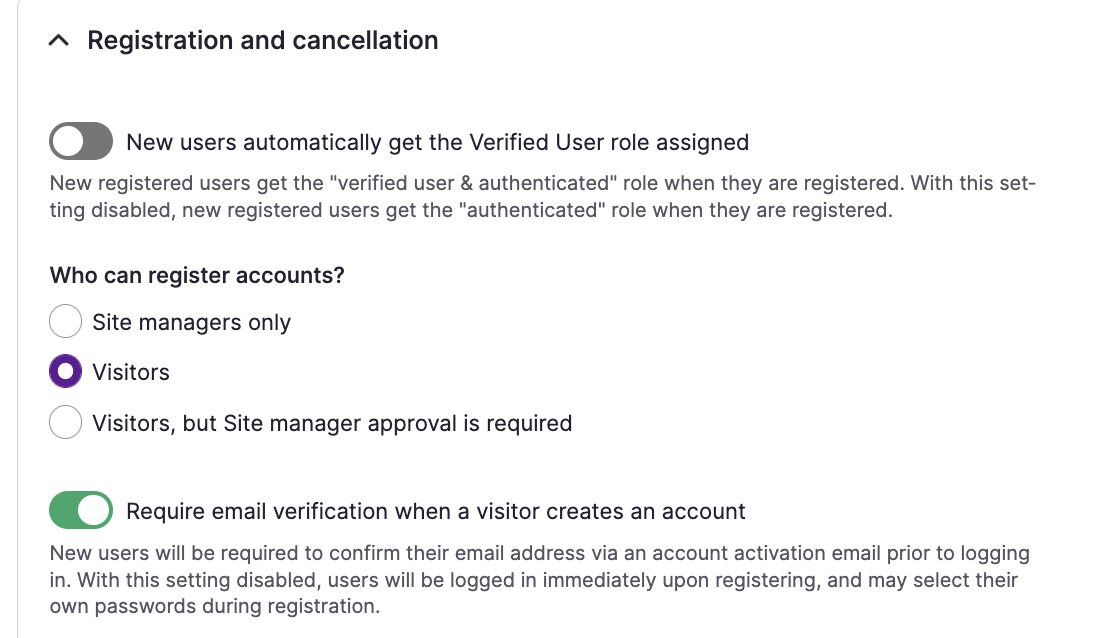
Setting: visitors
This means that the 'sign-up' button in the top-right menu is visible, and everyone can create an account. On top of that, one can choose to let users verify their email before they are able to enter the site. Read about the pros and cons!
2. Approval process
Setting: Visitors, but Site manager approval is required
The 'sign-up' button is visible, but after inserting their name and email address, a user will see a message that a Site Manager needs to approve their registration.
Site Managers receive an email notification with a link to approve a user. Until it is approved, the account has a status ' blocked'. A Site Manager can 'un-block' the user via the People Overview.
3. On invitation
Setting: Site managers only
In this option, the sign-up button is hidden and only Site Managers can create accounts for users via the People Overview. The invited user then receives an email with a login link.
Another option: The verified user role
Whenever a user sign up or is approved by the Site Manager, they get the Verified User role by default. This comes with a lot of permissions, including viewing community content, engaging with posts, comments or other content and connecting with other members right away.
Therefore, it's possible to determine whether this happens immediately, or if the registered user must be (further) approved by a Site Manager in order to unlock these permissions.
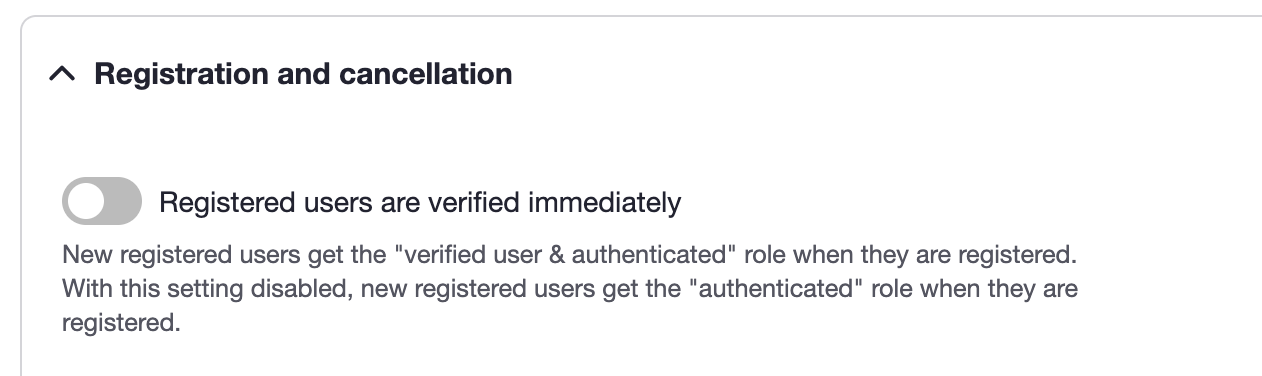
If this is disabled, new and unverified users will not have any permissions to create or engage.
How does this combine with registration?
This can be combined with the options above to create an alternative user flow, which (for example) allows users to sign-up freely but limits their access until they have been double checked by a Site Manager. This is a good way of making it easy for users to sign-up, lessening the urgent demands on a site manager whilst still keeping your community safe and secure. A typical setup with this approach would be the following:
Verifying Users
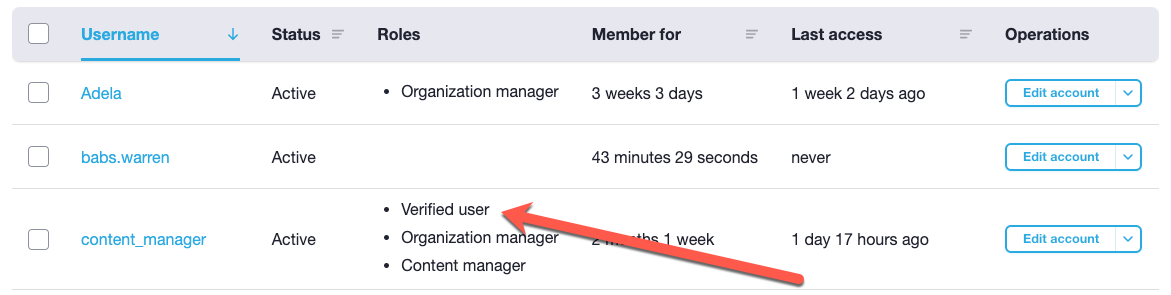
Non-verified users can be found and filtered on in the People Overview (direct URL: /admin/people). As you see in the example below, they will have no roles listed on their name.
Site managers can then review them and add the verified user role for them, either individually or in bulk.
Still unsure about which registration option is best for you? Speak with your CSM!